Cold email follow up: how many to send, when, and what to write
Quick answer
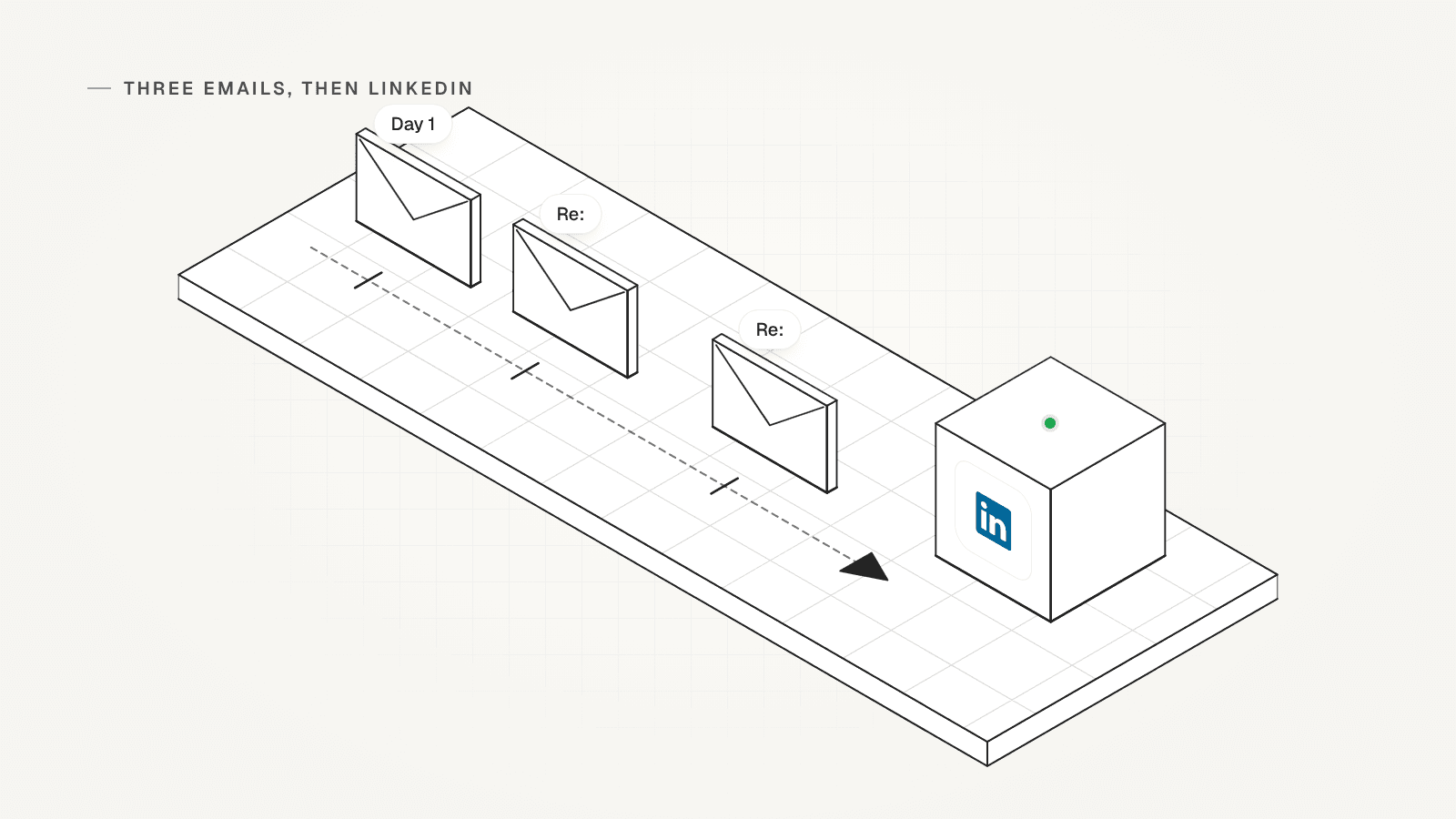
A cold email follow up works best as a short plan: two follow-ups after your first email, three emails in all, then a LinkedIn request. Wait 3 to 4 business days before the first follow-up and 5 to 7 days before the second. Reply in the same thread, add one new fact each time, and stop as soon as they answer.
 By Tim Scheuer, Co-founder of Oxygen · Updated October 25, 2026
How many follow-ups should you send after a cold email?
Send two follow-ups after your first email, for three emails in all. In Hunter's 2026 report on 31 million emails sent in 2025, three messages drew 106% more replies than one (6.8% vs 3.3%). The report calls three emails "the optimal balance between persistence and fatigue."
Belkins found a similar pattern in its 2026 study of 7.5 million B2B (business-to-business) sales emails. The first email had the highest reply rate of any single step, but steps 2 to 6 together brought in 58.6% of all replies. Step 3 alone booked more meetings than steps 1 and 2. Belkins puts the sweet spot for most B2B email plans at 3 to 5 steps.
Woodpecker's 2026 guide advises more: 3 to 5 follow-ups. Start with two, read the replies, and add a third only for accounts worth the extra touch.
Sources: Hunter: State of Email Outreach 2026 report, Belkins: sales follow-up statistics in B2B, 2026 study, Woodpecker: how to send a follow-up email after no response (2026)
How long should you wait before following up on a cold email?
Wait 3 to 4 business days before the first follow-up, then 5 to 7 days before the second. Those are the gaps in Woodpecker's 2026 guide to following up after no response.
Waiting longer gains little. In Smartlead's 2026 benchmarks, built from more than 850 million emails, 64% of replies came within an hour and 88.5% within 24 hours. So if a first email gets no answer in a few days, a new email with a new reason is the next move.
Count business days, so no follow-up lands on a weekend, and send in the reader's working hours.
Sources: Woodpecker: how to send a follow-up email after no response (2026), Smartlead: cold email statistics and benchmarks for 2026
A four-touch cold email follow-up schedule
Three emails, then LinkedIn, for each person you write to. The gaps follow Woodpecker's guide, and the switch to LinkedIn follows Belkins' study. Stop the moment they reply.

| Touch | When | Channel | What it adds |
|---|---|---|---|
| 1. First email | Day 1 | One problem you solve, why you chose them, and one small ask | |
| 2. First follow-up | 3 to 4 business days later | Email, same thread | One new fact, example or resource |
| 3. Last email | 5 to 7 days later | Email, same thread | A new angle and a polite close, so they know you'll stop |
| 4. LinkedIn request | After the third email gets no reply | A connection request with a short note that mentions your email |
What should a follow-up email after no response say?
One new reason to reply, in a few short lines. Don't repeat your first email or ask if they saw it. Add something they didn't have, and end with one easy question.
- Stay in the same thread: reply to your first email, so the subject keeps its "Re:" and they see both emails together.
- Add one new thing: a fact you left out, a customer example, a useful resource or a sharper question.
- Keep it shorter than the first email. Three or four lines read well on a phone.
- Ask one small question, such as "Is this on your list for this quarter?" A yes or a no is easy to send.
- Edit each one by hand. Hunter found manually edited emails had an 18% higher reply rate than fully automated ones (5.2% vs 4.4%).
- Drop the guilt lines. "Just checking in" and "Did you see my last email?" give no reason to reply.
- Never fake a "Re:" on a first email. The US Federal Trade Commission (FTC) says a subject line must accurately reflect the content of the message.
Sources: Hunter: State of Email Outreach 2026 report, FTC: CAN-SPAM Act, a compliance guide for business
Cold email follow-up templates for B2B SaaS buyers
Pick from six kinds: a new fact, a useful resource, an easy question, the right person, a LinkedIn note or a last email. Here they are for one made-up seller. Sam at Acme sells onboarding software to Dana, who runs customer success at a SaaS company, one that sells software by subscription. Use two in your emails and one on LinkedIn, and swap in your own facts.
- The new fact: "Hi Dana, one thing I left out. Acme turns your help docs into in-app guides, so new customers can set up without a call. Worth a look?"
- The useful resource: "Dana, we made a one-page checklist for onboarding new accounts. Want me to send it? No call needed."
- The easy question: "Dana, how do new customers get set up at your company today? A call, a video or docs?"
- The right person: "Dana, if onboarding isn't yours, who should I talk to? A name is plenty, and I'll stop writing to you."
- The LinkedIn note: "Hi Dana, I emailed you about onboarding for new customers. Happy to connect here instead."
- The last email: "Dana, I'll stop here so I don't crowd your inbox. If onboarding moves up your list, reply and I'll send the checklist."
Should you follow up on LinkedIn after a cold email?
Yes, once three emails get no reply. Belkins' 2026 study advises a LinkedIn connection request instead of a fourth email. A request that mentions your email gives context that a cold request lacks.
Add a short note. In Belkins' data, a note lowered acceptance a little (25.31% vs 27.56%), but replies from people who accepted rose from 5.28% to 8.18%. On a free LinkedIn account you can add a note to only five requests a month; Premium has no such limit.
When they accept, send one short message that picks up where your email left off. LinkedIn also limits how many invitations an account can send, so save requests for people who fit.
Sources: Belkins: sales follow-up statistics in B2B, 2026 study, LinkedIn Help: invitation limit reached
When should you stop following up?
Stop the moment they reply, whatever they say, and after your last planned touch. A "no", a "not now" and a "who are you?" all end the automated part. From there, answer by hand.
- They asked you to stop: take them off your list that day. Under CAN-SPAM, the US law on commercial email, you have at most 10 business days, and it covers B2B email too.
- Someone else at the company replied: pause the rest there. Hunter found that emailing one or two people per company drew a 46% higher reply rate than emailing three or more (5.1% vs 3.5%).
- The email bounced: remove the address, and don't try it again from another mailbox.
- Your last touch got no reply: stop, and write again only when something changes, such as a new role, new funding or a hiring push.
Sources: FTC: CAN-SPAM Act, a compliance guide for business, Hunter: State of Email Outreach 2026 report
How do you keep cold email follow-ups out of spam?
Aim each follow-up well and send it from a domain that is set up properly. That protects deliverability: whether your email reaches the inbox at all. Google tells senders to keep their spam rate below 0.1% and never reach 0.3%, and every follow-up to a poor fit risks a report.
- Set up SPF, DKIM and DMARC, records that prove mail comes from your domain and say what to do with mail that fails. Google requires SPF or DKIM from every sender and recommends all three.
- Turn off open tracking, which reports when someone opens your email. In Hunter's data, campaigns without it had a 68% higher reply rate (7.4% vs 4.4%).
- Keep each mailbox's volume modest. Hunter saw a 27% higher reply rate at 20 to 49 emails a day per account than its overall average (5.7% vs 4.5%).
- Write in plain text, with one link at most and no images or attachments.
- Make opting out easy. The FTC says each commercial email must explain how to opt out and include your valid postal address. This is not legal advice.
Sources: Google: email sender guidelines, Hunter: State of Email Outreach 2026 report, FTC: CAN-SPAM Act, a compliance guide for business
How do you automate cold email follow-ups in OXYGEN?
Build the plan once as a sequence, a series of steps each lead moves through. OXYGEN then sends each step on time until the lead replies. Here is this page's four-touch schedule in OXYGEN.

New email sequences start with careful defaults: at most 25 emails a day per mailbox, at least 12 minutes between sends, plain text, and open and click tracking off. Bounce protection warns above 2% bounces and can pause the sequence above 3%. Sending needs a connected mailbox on a paid plan, from $49 a month.
- Write the emails: add a Send email step, a Wait step, then another Send email. Keep its Subject on Continue, the default, and it goes out as "Re:" in the same thread.
- Count business days: a Wait step counts calendar days unless you switch it to working days, the weekdays your sending schedule allows.
- Add LinkedIn: an If has LinkedIn branch sends leads with a profile to a Send invite step, and the rest skip it.
- Stop on reply: any reply stops that lead in the sequence, on every channel. Reply handling can also pause the rest of their company.
- Test a second version: a step can carry up to 26 versions, and analytics show the replies each version gets.
- Check before it sends: Preview shows every step as each lead will get it, and nothing goes out until you start. A running sequence contacts newly added leads on its next send.
What OXYGEN does not do here
- Open and click tracking stay off, so no step can wait for an open. Replies are the signal.
- The unsubscribe option adds an opt-out to first-touch emails only. In-thread follow-ups carry none, so write an opt-out line into them if you need one.
- A lead enrolled for email only does not get your LinkedIn steps if you add their profile later.
- After the first start, the steps keep their order and kind. You can still change how long each Wait step lasts.
- Sending needs a connected mailbox or LinkedIn account, and connecting one needs a paid plan.
- A sequence that is already running contacts newly added leads on its next send.
Frequently asked questions
How many follow-ups should a cold email have?
Two, for three emails in all, then a LinkedIn request. In Hunter's 2026 study of 31 million emails, three messages drew 106% more replies than one. Belkins' 2026 study puts the sweet spot at 3 to 5 steps, so a third follow-up can pay off for your best accounts.
How long should I wait before following up on a cold email?
Wait 3 to 4 business days before the first follow-up, then 5 to 7 days before the second, as Woodpecker's 2026 guide suggests. Smartlead's 2026 data shows 88.5% of replies arrive within 24 hours, so waiting much longer than a few days gains little.
What do I write in a follow-up email after no response?
One new reason to reply: a fact you left out, a customer example, a useful resource or a short question. Keep it to a few lines in the same thread, and end with one easy question. Skip "just checking in" and "did you see my email?", which give the reader nothing new.
Should I follow up on LinkedIn?
Yes, after three emails get no reply. Belkins advises a LinkedIn connection request instead of a fourth email, with a short note that mentions your email. On a free LinkedIn account you can add a note to five requests a month.
When should I stop following up?
Stop as soon as they reply, whatever they say, and after your last planned touch. If they ask you to stop, remove them the same day: under the US CAN-SPAM Act you have at most 10 business days. Write again only when something changes at their company.
Should a follow-up use "Re:" in the subject line?
Yes, when it is a real reply in the same thread as your first email. Never put "Re:" on a first email: the FTC says a subject line must accurately reflect the content of the message. In OXYGEN, a follow-up with no subject of its own goes out as "Re:" in the same thread.
Can OXYGEN send cold email follow-ups for me?
Yes. A sequence sends each follow-up on schedule and stops a lead when they reply on any channel, and nothing goes out until you start it. A free workspace, your team's OXYGEN account, gets 250 credits once. Sending needs a paid plan, from $49 a month, and each LinkedIn account is $34 a month.
Related
Linked from
Sources
- Hunter: State of Email Outreach 2026 report, checked October 25, 2026
- Belkins: sales follow-up statistics in B2B, 2026 study, checked October 25, 2026
- Smartlead: cold email statistics and benchmarks for 2026, checked October 25, 2026
- Woodpecker: how to send a follow-up email after no response (2026), checked October 25, 2026
- Google: email sender guidelines, checked October 25, 2026
- FTC: CAN-SPAM Act, a compliance guide for business, checked October 25, 2026
- LinkedIn Help: invitation limit reached, checked October 25, 2026
Updated October 25, 2026. OXYGEN's own prices and limits come from the product and its live price list. The other products named here are trademarks of their owners and are not affiliated with OXYGEN. Something out of date? Tell us.