Lead qualification workflow: qualify accounts before you pay for contact data
Quick answer
A lead qualification workflow checks each account against a written rubric before you pay for contact data. Mark every check pass, fail or unknown from proof in the row. Exclude the hard no's, hold poor fits and look up what is missing. Then find the right buyer, run the email waterfall, which asks one provider after another for the email, and verify each address. A buyer with no email, or an invalid one, gets LinkedIn steps only.
 By Tim Scheuer, Co-founder of Oxygen · Updated October 27, 2026
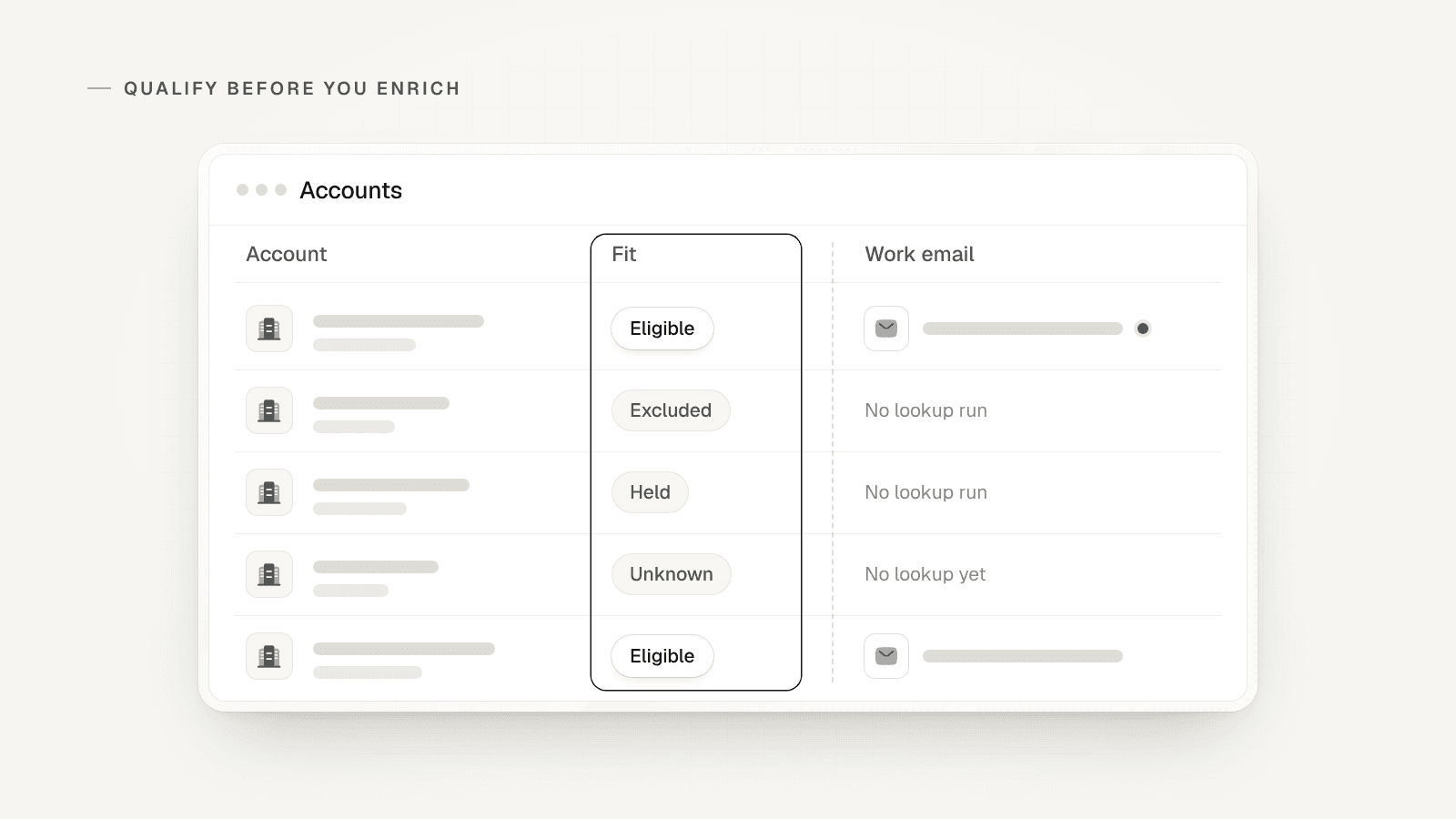
Why qualify accounts before you pay for contact data?
Because an email you buy for a poor-fit account is spend you can't explain later. It also puts a person on your list you have no reason to write to. OXYGEN co-founder Tim Scheuer's October 2026 post on a five-layer GTM (go-to-market) system puts the fit check before any contact data. Layer one sources every account and removes duplicates.
Our cold email playbook, written from our own outbound (the emails and messages you send first), goes straight from the list to the data. It pulls every sourced lead into one table, runs the email waterfall and verifies every email. This page adds the post's second layer in the middle, with a written reason for every row you skip. That layer qualifies in three moves:
- "An agent scores ICP fit with reasons. No fit, hold the account." ICP means ideal customer profile: the kind of company you sell to best.
- "Find Demand Gen, VP Marketing or CRO. Wrong persona, try the next role." A persona is the buyer role you want to reach. Demand Gen is the demand generation lead; CRO is the chief revenue officer.
- "Email waterfall + verify. No email, LinkedIn steps only."
Sources: Tim Scheuer on LinkedIn: the five-layer GTM post (October 2026)
What are the steps in a lead qualification workflow?
Eight steps, in this order. Each one reads what the row already holds, and the paid lookups run only on rows that passed the steps before them.
- Pull every sourced account into one table and remove duplicates.
- Run the hard exclusions first: current customers, open deals, competitors and your do-not-contact list.
- Score account fit from the proof in the row. Each check gets pass, fail or unknown, with a reason.
- Look up the missing facts on unknown rows once, then score them again. Unknown never counts as a pass.
- Find the buyer at each eligible account, one role at a time, in the order you set. No buyer, hold the account.
- Run the email waterfall on those buyers only, and verify every address it finds.
- Let the email verdict pick the channel: email and LinkedIn, LinkedIn first, or LinkedIn only.
- Write each decision back to the row, and log every reply in your CRM (customer relationship management system).
How do you build a qualification rubric with pass, fail and unknown?
Give each check three answers: what proves a pass, what proves a fail, and what to do with no proof. The third keeps a blank cell from counting as a fail. Our GTM skills kit asks an agent to try a rubric on one row; this page walks seven. The kit puts the rule plainly: "A missing value should not silently become a failed criterion."

Here is an example rubric for a made-up seller. Its buyers run marketing or revenue at B2B (business-to-business) firms with 50 to 500 staff. Start from your own ICP and keep the rubric short: four checks you can prove beat ten you have to guess. Name the column or source each check reads, so anyone can see why a row passed.
- Hard exclusions. Pass: none apply. Fail: a current customer, an open deal, a competitor or a do-not-contact entry. Unknown: CRM not checked yet, so check it first.
- Sells to businesses. Pass: the site says it sells to companies. Fail: it sells only to consumers. Unknown: no description in the row.
- Size, 50 to 500 staff. Pass: a headcount inside the band. Fail: a headcount outside it. Unknown: no headcount, so look it up once and score again.
- Buyer role, once the account is Eligible. Pass: a Demand Gen lead, VP Marketing or CRO. Fail: none of the three, after trying each in turn: hold the account. Unknown: nobody has searched yet.
- The rule: any hard exclusion means Excluded. Any failed account check means Held, with its reason. Any unknown means look it up first. When all three account checks pass, the account is Eligible.
How does the workflow treat seven example rows?
Two of the seven never reach a paid lookup, and a third waits for one company lookup. A fourth stops when no buyer turns up, so no email is bought for it. We made up every row for this page.
Seven made-up rows through the workflow
Rows for the made-up seller above, not customer data. Each row stops at the first step it fails. Catch-all means the company's mail server accepts any address, so a standard check can't confirm the mailbox.

| Example row | What the row shows | Account check | Buyer and email | Next step |
|---|---|---|---|---|
| 1. Software firm, 140 staff | Sells to companies; 140 staff; not in the CRM | Eligible: every account check passes | VP Marketing found; email valid | Email and LinkedIn steps |
| 2. Current customer | The CRM shows a live customer account | Excluded: a hard exclusion | No lookup run | No outreach; it stays with its account owner |
| 3. Agency, 12 staff | A services firm with 12 staff | Held: below the size band | No lookup run | Kept with its reason; check again if it grows |
| 4. No headcount | Sells to companies; the staff count is blank | Unknown: size has no proof | No lookup yet | One company lookup, then score again |
| 5. Software firm, 300 staff | Sells to companies; 300 staff | Eligible: every account check passes | No Demand Gen lead; VP Marketing found; email catch-all | LinkedIn first; email a small batch you watch |
| 6. Software firm, 90 staff | Sells to companies; 90 staff | Eligible: every account check passes | CRO found; no email found | LinkedIn steps only |
| 7. Software firm, 60 staff | Sells to companies; 60 staff | Eligible: every account check passes | None of the three roles found | Held: none of the three roles found; no email bought |
How do you enrich eligible rows and verify the emails?
Run the contact lookup on eligible rows only, then verify every address it finds. Our playbook calls the check non-negotiable. Bad emails hurt your deliverability, whether your mail reaches the inbox at all, and you pay for it later in burned mailboxes.
In OXYGEN, the Email verification switch on a work email column checks each found address before it lands in the cell. A catch-all address goes on to a second, specialist check by itself. Email verification explains each verdict.
A verifier gives one of four verdicts. Each verdict, and a lookup that finds nothing, sends the row down its own branch:
- Valid: a verifier confirmed the mailbox exists. Send the email and LinkedIn steps.
- Invalid: the mailbox does not exist. Drop the address and use LinkedIn steps only.
- Catch-all: the domain accepts every address, so a standard check can't confirm this one. If it stays catch-all, start on LinkedIn and email a small batch you watch.
- Unknown: no verifier could answer. That is a missing answer, not a bad address, so run the check again before you drop it.
- No email found: the post's rule applies. No email, LinkedIn steps only.
How do you pick the channel and keep a decision trace?
Let the email verdict pick the channel, and write every decision back to the row. The post runs three channels on the same people: ads, a sequence of email, LinkedIn and calls, and weekly founder posts. It calls that mix of inbound and outbound allbound. In an OXYGEN sequence, a lead with a LinkedIn profile but no email skips the email steps, so one sequence carries both groups.
Our playbook's last step closes the loop: every new reply gets logged into your CRM. With the trace on the row, anyone can see why an account was held as easily as whether it replied. Keep these columns on every row:
- The result: Eligible, Excluded, Held or Unknown.
- The reason, in one sentence, and the column or source it came from.
- The buyer roles you tried, in order, and the one you found.
- The email verdict and the channel it chose.
- The date of each check.
- What would change the result, such as a new headcount, a new hire or new funding.
Sources: Tim Scheuer on LinkedIn: the five-layer GTM post (October 2026)
How do you work out the cost? An illustrative model
Count the paid lookups each order buys, then multiply by your own prices. We made up the inputs below to show the math. They are not measured results or hit rates (the share of lookups that find an email). The worst case assumes every lookup finds an email, since a miss often costs nothing.
- Made-up inputs: 1,000 sourced accounts, 2 buyers looked up per account, 40% of accounts eligible and 15% unknown.
- Enrich everything: 1,000 × 2 = 2,000 email lookups. In the worst case that is 2,000 emails found and 2,000 checks.
- Qualify first: score all 1,000 accounts, run 150 company lookups for the unknowns, then 400 × 2 = 800 email lookups.
- If a third of the unknowns pass on the second score, add 50 × 2 = 100 lookups, for 900 in all.
- The gap: up to 1,100 fewer emails found and checked. Take off the cost of 1,150 scores (1,000 first scores and 150 second scores) and 150 company lookups.
- Your own model: accounts × buyers per account × share eligible, times your price per email found and per check. Buyer searches shrink the same way.
How do you run this lead qualification workflow in OXYGEN?
Use one table for accounts and a Classify column for the rubric. A Classify column is an AI column that labels each row from its own data. Then find buyers only at Eligible accounts and run the Work email column on them. Each paid step shows its cost before it runs, and nothing is charged until you confirm.
When the lookup runs on OXYGEN's own provider accounts, a work email lookup that finds nothing costs nothing. A found email costs about $0.085, and a check about $0.00225. A catch-all's second check costs $0.017. Calls that run on your own account with a data provider pay OXYGEN's platform fee even when they find nothing. The fit score bills per row too.
- Score: a Classify column answers with one of your labels, plus a reason and a confidence. An answer below the confidence floor, the lowest confidence you accept (0.85 unless you change it), is marked uncertain.
- Ground it: Use workspace knowledge sends your saved ICP with each row.
- Fill gaps: the Company enrichment bundle adds headcount, industry and a description. Rows with no domain or company LinkedIn URL are skipped and cost nothing.
- Find buyers: scope a people search to the Eligible accounts' domains, with a cap per company.
- Enrich: run the Work email column on those buyers. It checks each address it finds, and Max credits caps the run.
- Trace: each email cell keeps every provider it tried and the one that found the address.
Set up the workflow from the OXYGEN command line (CLI)
Score account fit with a Classify column
rubric.txt holds the three account checks, the four labels and a one-sentence reason, and says not to infer missing facts. Name only columns the accounts table holds, such as CRM status and do-not-contact; a check with no column always comes back Unknown.
oxygen columns add accounts --label "Fit" --classify "Eligible,Held,Unknown,Excluded" --prompt rubric.txt --grounding workspace --jsonDry-run the score on one row
A dry run spends nothing and shows the prompt filled in with one real row. Then score every row; a live run needs --approved and a --max-credits cap.
oxygen columns run accounts fit --limit 1 --dry-run --json oxygen columns run accounts fit --all --background --approved --max-credits <cap> --jsonPrice a company lookup for the unknowns
The preview makes no provider call. Some lanes, the providers it tries in order, bill each attempt, hit or miss; the preview marks each lane per_attempt or on_hit. Run it on the unknown rows. To score them again, filter the table to Fit / label is Unknown, select those rows and choose Run selected rows, which overwrites a label a plain run skips.
oxygen companies enrich preview accounts --missing-fields headcount,industry,description --limit 10 --jsonFind buyers at Eligible accounts only
A free query lists the Eligible rows. Plan the people search on their domains only, with a cap per company. Planning is free.
oxygen tables query accounts --filter-tree-json '{"type":"group","conjunction":"and","children":[{"type":"leaf","columnKey":"fit","path":"label","operator":"is","value":"Eligible"}]}' --json oxygen people search plan --prompt "Demand generation leads, VPs of Marketing and CROs" --company-domains <eligible domains> --max-per-company 2 --jsonRun the people search
The same flags on people search run give a free dry run that prices the search; add --mode live, --approved and --max-credits to create the people table.
oxygen people search run --prompt "Demand generation leads, VPs of Marketing and CROs" --company-domains <eligible domains> --max-per-company 2 --jsonPrice the email lookup for those buyers
Point it at the people table the live search created. The free preview prices the address checks too.
oxygen enrich-column preview <people table> --capability work_email --linkedin-url-column linkedin_url --limit 10 --jsonRun each step live
Each live run needs --approved and a --max-credits cap it cannot cross. Use the preview's recommended_max_credits; it already counts the address check and the catch-all second check.
oxygen enrich-column run <people table> --capability work_email --linkedin-url-column linkedin_url --limit 10 --max-credits <recommended_max_credits> --approved --json
What OXYGEN does not do here
- A Classify column reads the row, plus your saved ICP if you ground it. It has no web access, so a missing fact stays missing until a lookup fills it.
- Confidence does not measure whether the row's facts are complete. A confident score can still rest on a thin row.
- Workspace grounding can pull answers toward your ICP. Spot-check borderline rows and rows with gaps.
- A people search looks for every role you name at once. It does not try them in order, so to keep the order, search for the first role, then search for the next one only at accounts with no buyer yet.
Frequently asked questions
What is a lead qualification workflow?
A lead qualification workflow is the fixed order of checks a lead passes before you spend money or time on it. Run the free checks first, such as current customers and your do-not-contact list. Then score fit against a written rubric, look up missing facts, and only then buy contact data for the right buyer.
Should you qualify leads before or after enrichment?
Qualify the account before you buy contact data. A cheap company lookup can come first when a fit check has no proof, such as a blank headcount. Then score again and find contacts only at the accounts that pass.
What goes in a lead qualification rubric?
A few account checks you can prove: hard exclusions, what the company sells and to whom, and its size. Write what counts as pass, fail and unknown for each, plus one rule that turns the answers into Eligible, Held, Excluded or Unknown. Check the buyer role only once an account is Eligible.
What do you do with unknown or held accounts?
Look up the missing fact on an unknown account once, then score it again; never count unknown as a pass. Keep a held account with its reason, and check it again when something changes, such as new funding.
How do you qualify inbound leads from a form?
Run the same account checks on every form fill. An inbound lead brings its own email, so you skip the lookup but still verify the address before a sequence. In OXYGEN, a Webhook table turns each form fill into a row, and a Classify column with the same rubric scores it.
Can OXYGEN run this workflow for me?
Yes. A Classify column scores each account against your labels, with a reason. The Work email column runs the waterfall and checks each address on the rows you pick. A free workspace gets 250 credits once.
Related
Sources
- Tim Scheuer on LinkedIn: the five-layer GTM post (October 2026), checked October 27, 2026
- OXYGEN GTM skills kit: start with a useful job, checked October 27, 2026
Updated October 27, 2026. OXYGEN's own prices and limits come from the product and its live price list. The other products named here are trademarks of their owners and are not affiliated with OXYGEN. Something out of date? Tell us.